Cross-Platform
Native desktop app for Windows, macOS, and Linux. One download, every platform.
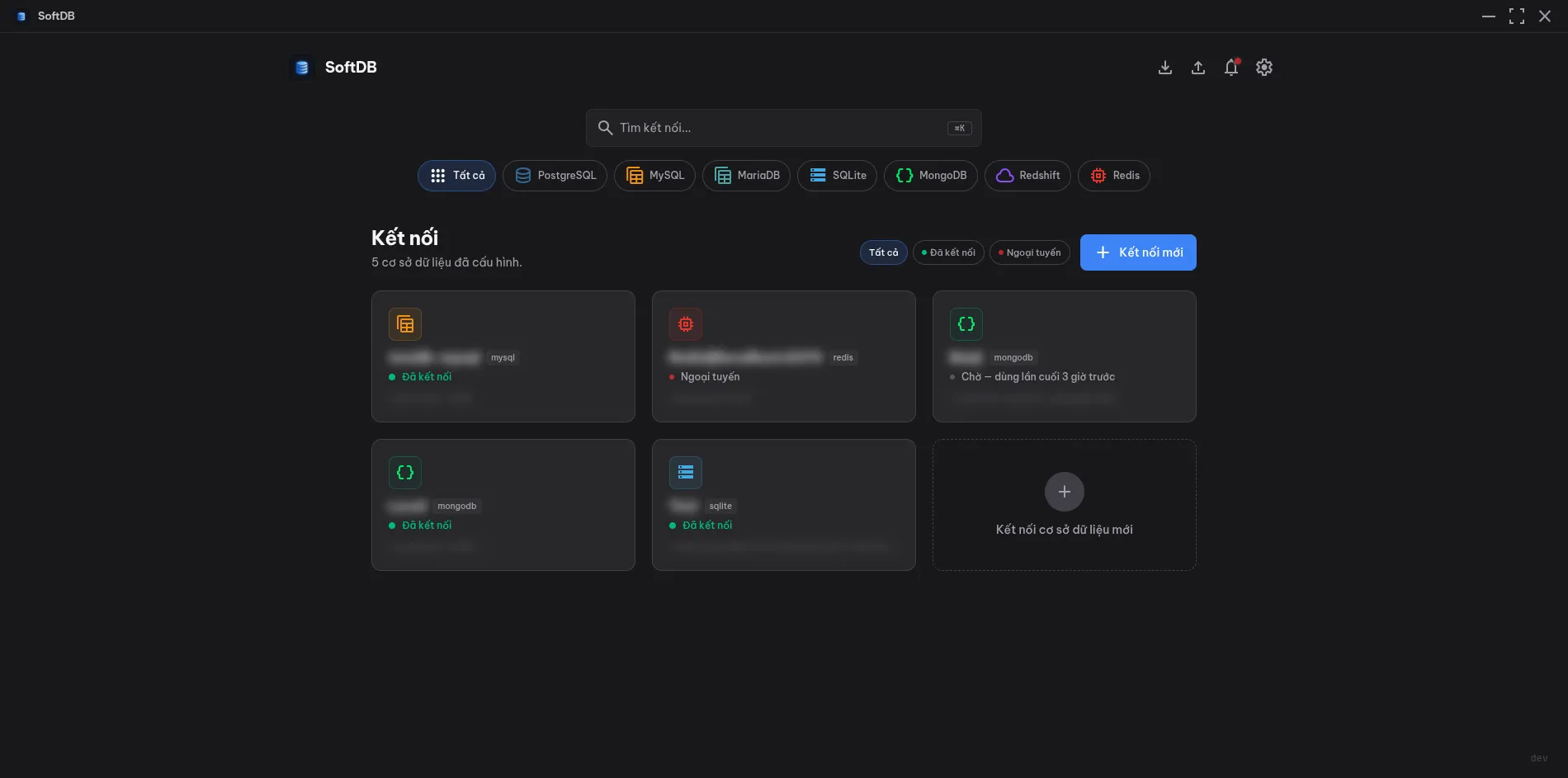
SoftDB is a modern, cross-platform database management tool built for developers who work with multiple databases every day. It combines a Go backend with a React frontend, packaged as a native desktop app via Wails v3. The result is a fast, lightweight client that feels native on Windows, macOS, and Linux — without the overhead of Electron.
Whether you’re exploring a production PostgreSQL cluster, debugging a SQLite file, or querying a MongoDB collection, SoftDB gives you a single, consistent interface. You don’t need to switch tools or remember different workflows for each database type.
Cross-Platform
Native desktop app for Windows, macOS, and Linux. One download, every platform.
Multi-Database
Connect to 7 different database engines from a single app. No context switching.
AI-Powered
Built-in AI assistant with full schema context. Ask questions, get SQL back.
Secure by Default
AES-256-GCM encrypted credentials, parameterized queries, and OAuth PKCE.
SoftDB ships with a full suite of tools for day-to-day database work:
| Database | Status | Default Port | Multi-DB Browsing |
|---|---|---|---|
| PostgreSQL | Full support | 5432 | Yes |
| MySQL | Full support | 3306 | Yes |
| MariaDB | Full support | 3306 | Yes |
| SQLite | Full support | N/A (file) | No |
| MongoDB | Full support | 27017 | Yes |
| Redshift | Full support | 5439 | Yes |
| Redis | Full support | 6379 | Yes (DB index) |
Multi-DB browsing means SoftDB shows a 3-level tree: Connection → Database → Tables. You can browse all databases on a server without creating separate connections for each one.
SoftDB ships as a pre-built binary for each platform. No runtime dependencies required.
| Platform | Installer |
|---|---|
| Windows | SoftDB-amd64-installer.exe (NSIS installer) |
| macOS | SoftDB-darwin-arm64.dmg (Apple Silicon; Intel via Rosetta 2) |
| Linux | SoftDB-linux-amd64.AppImage (portable) or SoftDB-linux-amd64.deb |
If you want to build from source, you’ll need Go 1.22+, Bun (or Node.js 18+), and the Wails CLI v3.
SoftDB is built on a small, focused set of technologies:
| Layer | Technology |
|---|---|
| Desktop Runtime | Wails v3 (Go + WebView) |
| Backend | Go 1.22+ |
| Frontend | React 19 + TypeScript + Vite |
| SQL Editor | Monaco Editor |
| Routing | TanStack Router |
| State | TanStack Query |
| Styling | Tailwind CSS |
| Encryption | AES-256-GCM |
| AI | OpenAI API |
SoftDB is free and open-source under the MIT license. The full source code is on GitHub.
GitHub Repository
View source code, report issues, and contribute on GitHub.